

Download the extension
You can download the extension at your first login or using this link
Install the extension in Cursor
Use the command 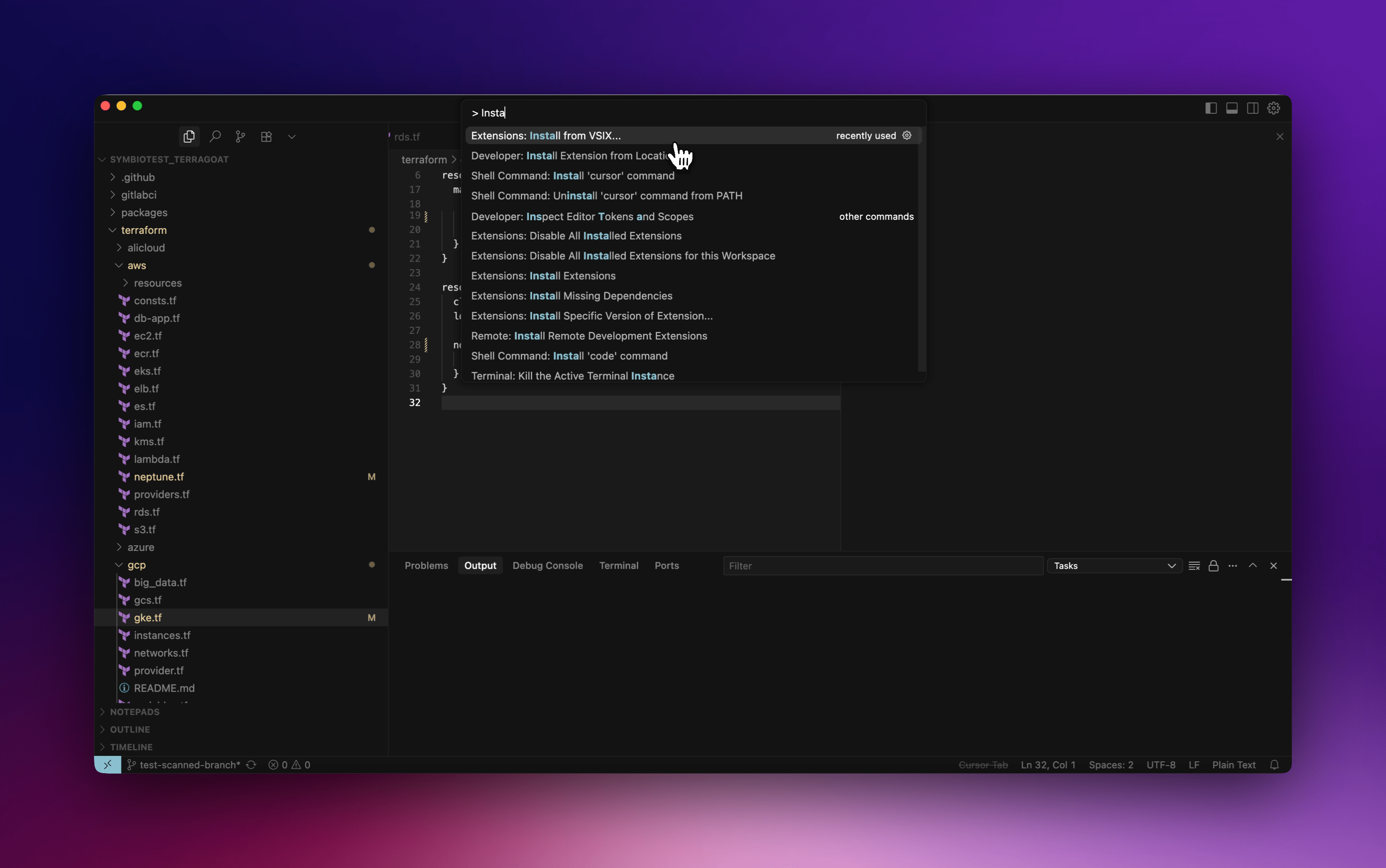
Extensions: Install from VSIX… to install the extension VSIX you’ve downloaded.Retrieve you authentication token
Go to your settings page to copy your personal access token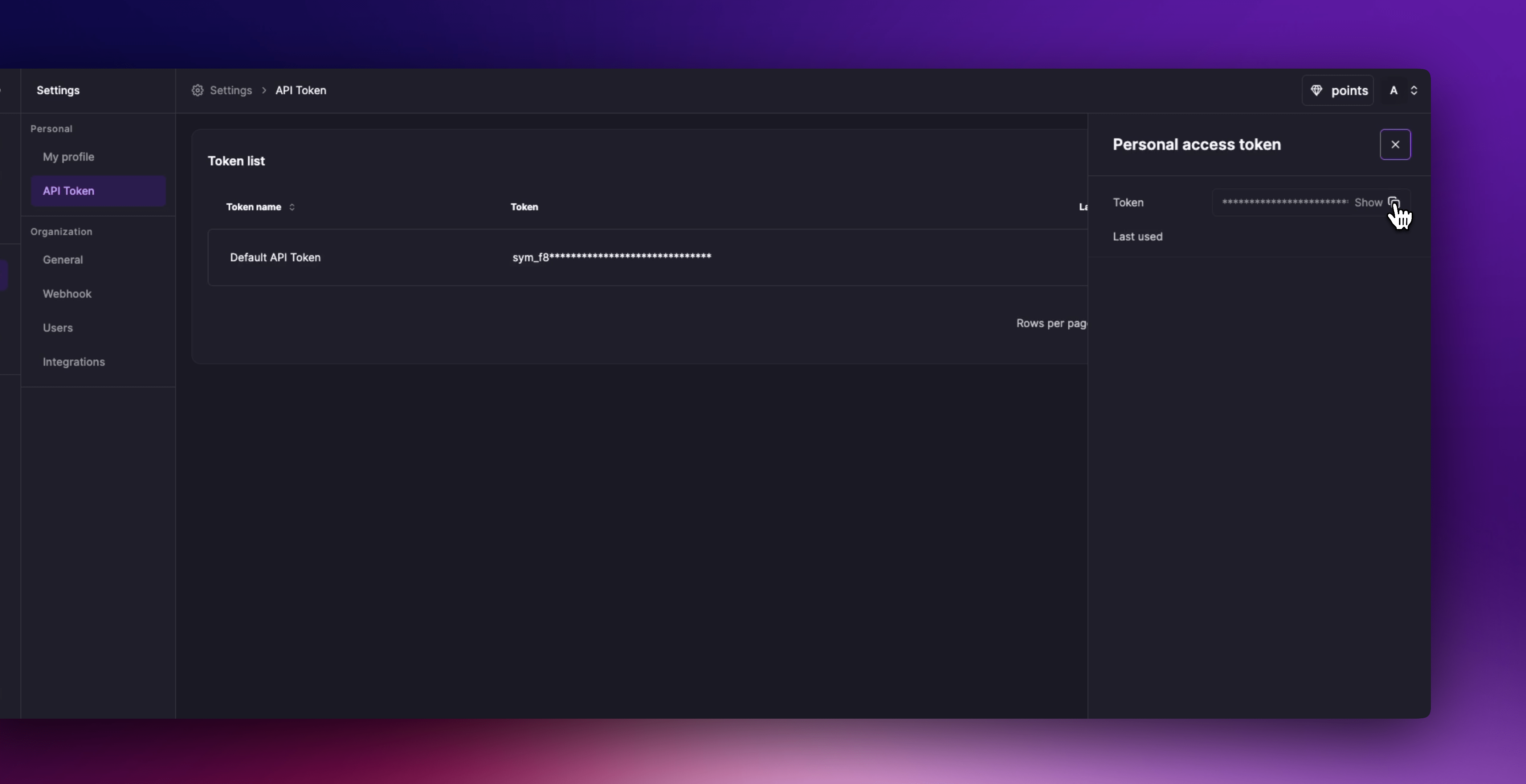
Authenticate in Cursor
Go back to your IDE, use the command 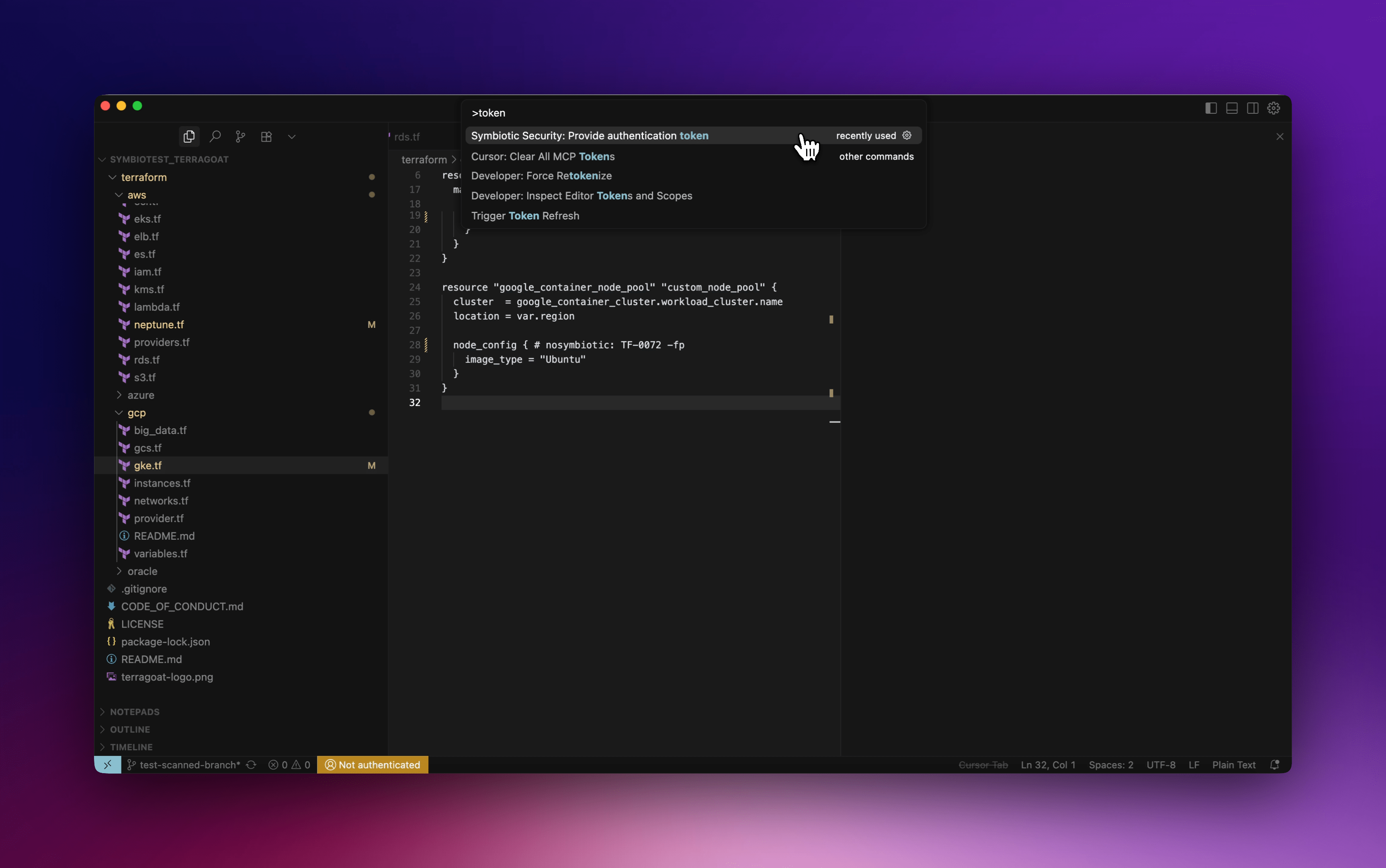
Symbiotic Security: Provide authentication token, paste your token then hit Enter to log in.