> ## Documentation Index
> Fetch the complete documentation index at: https://docs.symbioticsec.ai/llms.txt
> Use this file to discover all available pages before exploring further.
# Setup GitHub integration
> Install our Github App for historical scan, activation and review in the PR
## Connect your Github organization
1. Go to the [integration page](https://app.symbioticsec.ai/settings/integrations)
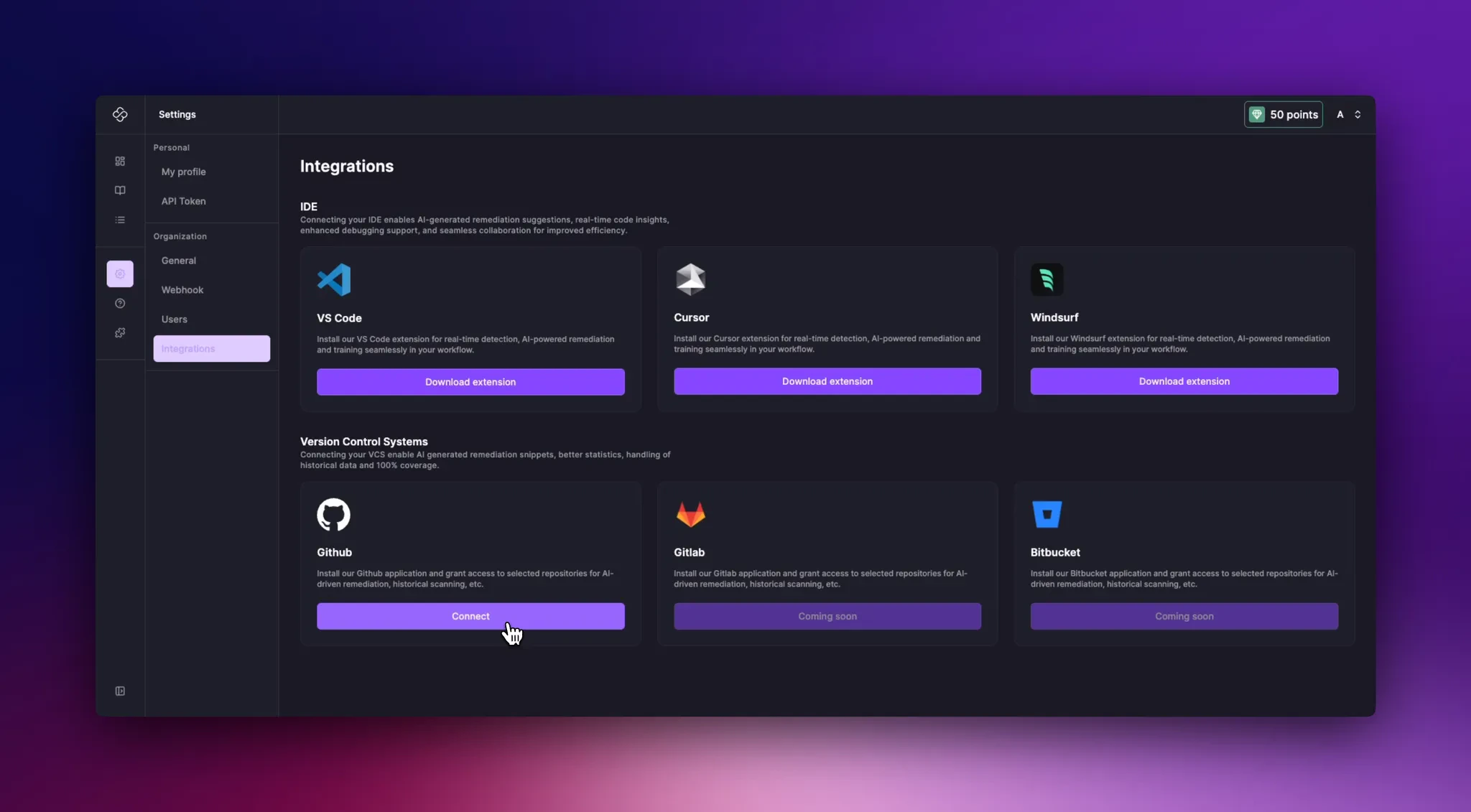 2. Click on Connect
3. You will be redirected to Github
2. Click on Connect
3. You will be redirected to Github
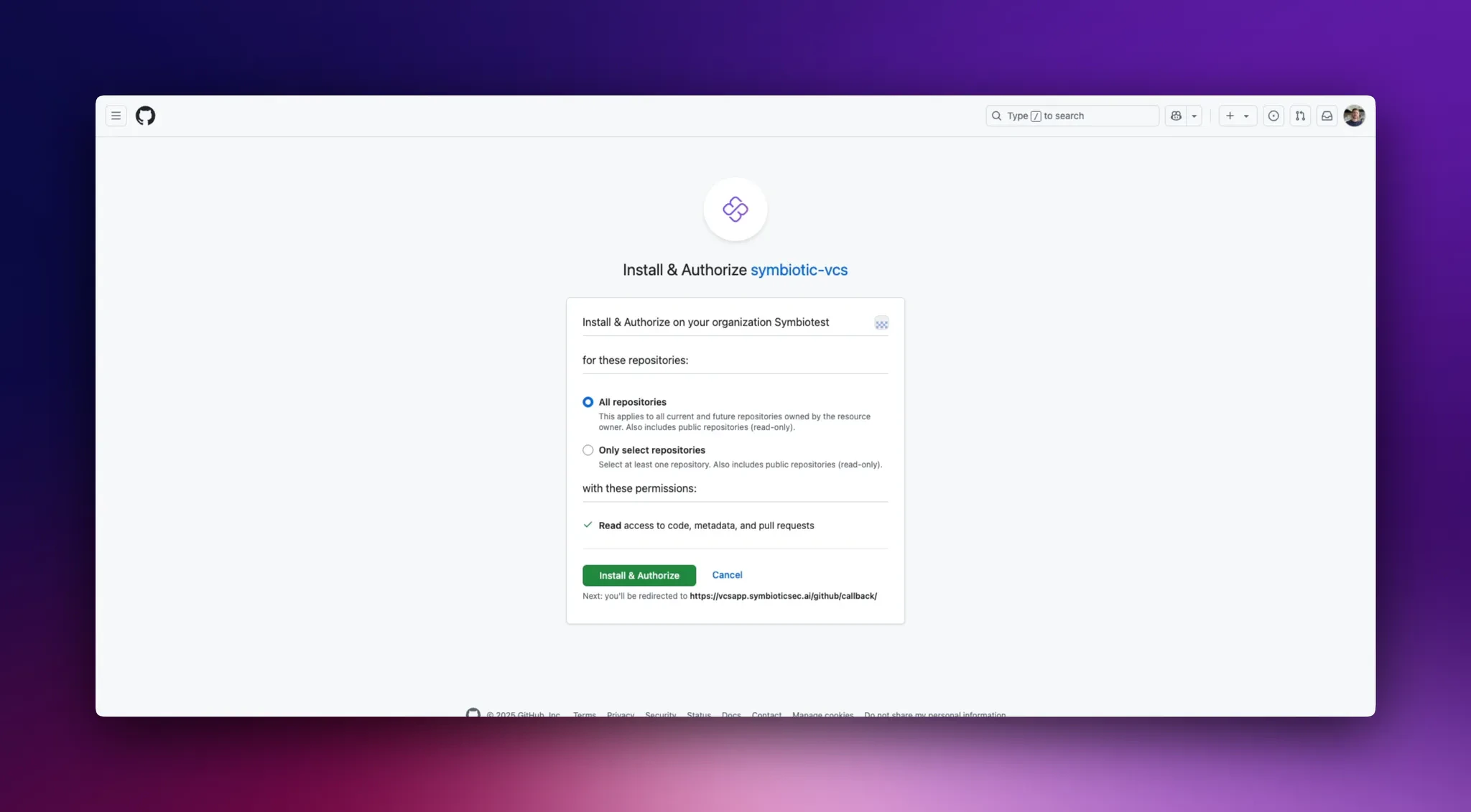 4. You have the possibility to give our Github app access to all the repositories of your organization or to select specific ones (this can be modified later).
5. After choosing click on `Install & Authorize`
6. You will be redirected to our application and a scan of those repositories will be performed in the background.
## Modify the Github app scope
1. Go to the [integration page](https://app.symbioticsec.ai/settings/integrations)
2. Click on `Manage Github App`
3. You will be redirected to Github
4. You can now modify the scope of the application to give access to more or less repositories.
5. After choosing click on `Install & Authorize`
6. You will be redirected to our application and a scan of repositories added will be performed in the background.
4. You have the possibility to give our Github app access to all the repositories of your organization or to select specific ones (this can be modified later).
5. After choosing click on `Install & Authorize`
6. You will be redirected to our application and a scan of those repositories will be performed in the background.
## Modify the Github app scope
1. Go to the [integration page](https://app.symbioticsec.ai/settings/integrations)
2. Click on `Manage Github App`
3. You will be redirected to Github
4. You can now modify the scope of the application to give access to more or less repositories.
5. After choosing click on `Install & Authorize`
6. You will be redirected to our application and a scan of repositories added will be performed in the background.