> ## Documentation Index
> Fetch the complete documentation index at: https://docs.symbioticsec.ai/llms.txt
> Use this file to discover all available pages before exploring further.
# False positive
> How to declare a vulnerability as false positive ?
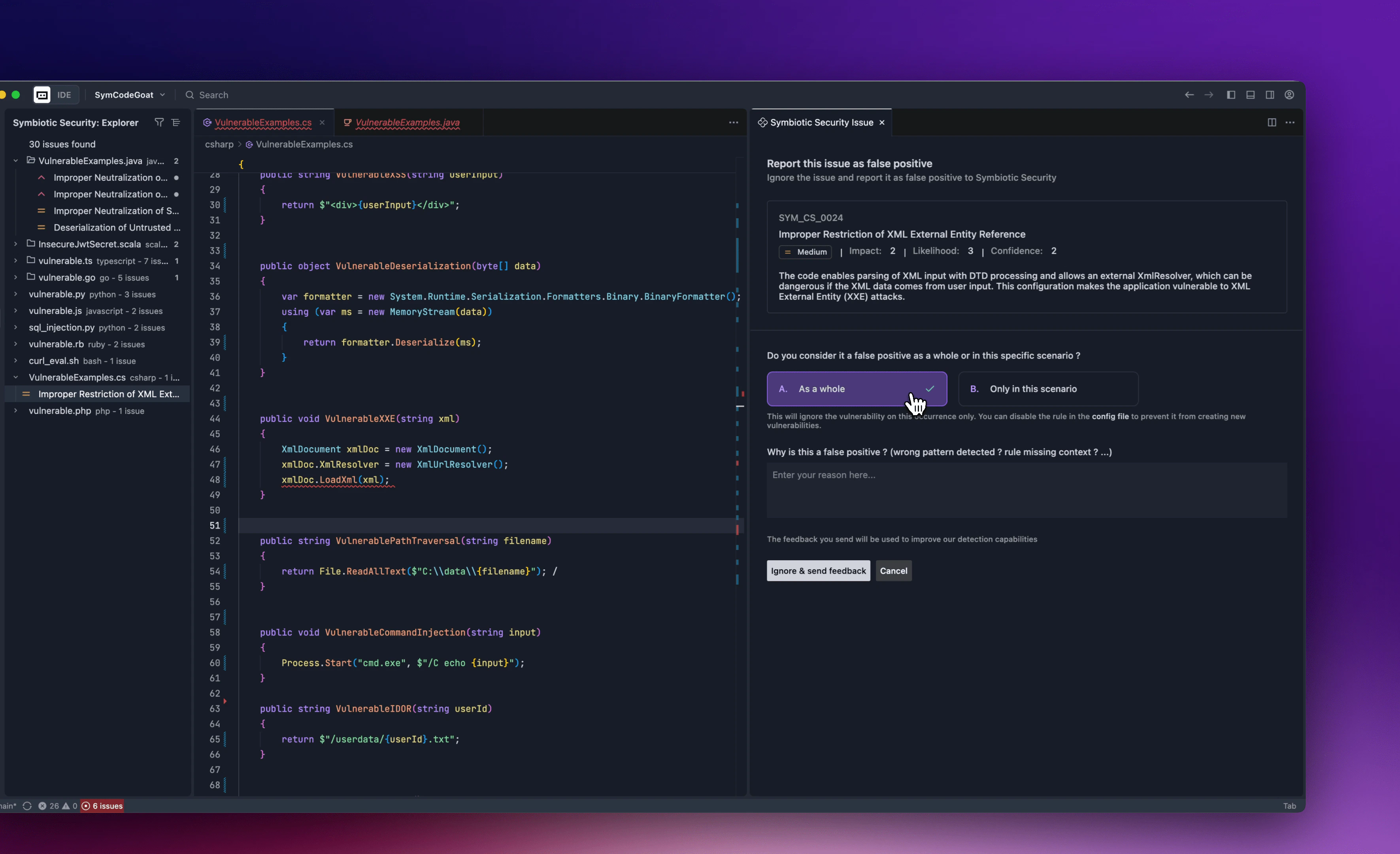 You can declare a false positive by adding a tag `-fp` in the ignore comment or by using the action available in the issue hover or the ignore button. In that case, you will be ask to select the scope of the false positive and give an explanation about it.
Reporting false positives is really important as it allows us to review false positives with your admins and make the detection patterns evolve.
Example of a false positive comment:
```javascript theme={null}
// nosymbiotic SYM_JTS_0087 -fp
```
You can declare a false positive by adding a tag `-fp` in the ignore comment or by using the action available in the issue hover or the ignore button. In that case, you will be ask to select the scope of the false positive and give an explanation about it.
Reporting false positives is really important as it allows us to review false positives with your admins and make the detection patterns evolve.
Example of a false positive comment:
```javascript theme={null}
// nosymbiotic SYM_JTS_0087 -fp
```