> ## Documentation Index
> Fetch the complete documentation index at: https://docs.symbioticsec.ai/llms.txt
> Use this file to discover all available pages before exploring further.
# Details view
> How to use the details view
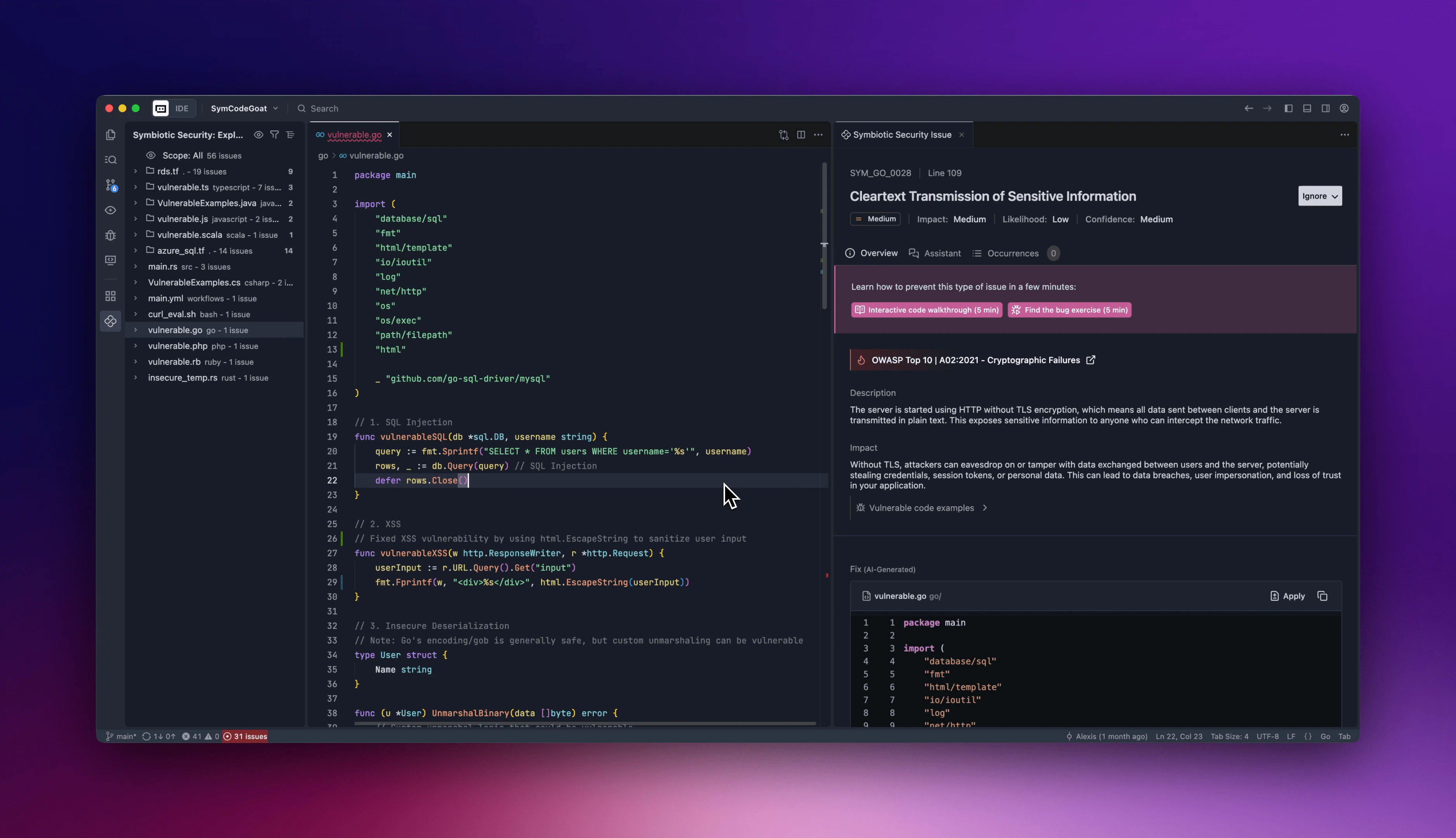 When you click on an issue in the treeview or in the More details link in the hover, a details view will open with 3 tabs :
This tab contains all the informations you need about the vulnerability, including its description, potential impacts, other vulnerable examples, links to documentation and an AI generated remediation suggestion. It also allow you to access trainings on the vulnerability, ignore it or report it as a false positive.
This tab allows you to chat with our AI about this vulnerability. You can use presets to start a discussion or ask any question you have.
If the same vulnerability appears on other resources in the opened workspace, you will find links to those vulnerable resources in this tab.
When you click on an issue in the treeview or in the More details link in the hover, a details view will open with 3 tabs :
This tab contains all the informations you need about the vulnerability, including its description, potential impacts, other vulnerable examples, links to documentation and an AI generated remediation suggestion. It also allow you to access trainings on the vulnerability, ignore it or report it as a false positive.
This tab allows you to chat with our AI about this vulnerability. You can use presets to start a discussion or ask any question you have.
If the same vulnerability appears on other resources in the opened workspace, you will find links to those vulnerable resources in this tab.